
Judgment Sheet
How to Fill In the "Is This Cheating?" Sheet Online: Answer on Your Phone and Save the PNG
Three things to know before you start
First, it's completely free, no account needed, and nothing to download — unless you want the blank sheet image to tick by hand. Just open the sheet page and start answering.
Second, all your answers stay in your own browser. This site's servers never receive a single one of your choices, and your result image is generated on your own phone — nothing to worry about privacy-wise.
Third, every question has three options: cheating, not cheating but very off-putting, and totally fine. After the 40 questions there's one bonus question — "would your answers change if you were the one doing these things?" — with a yes or no, and then the sheet is complete. There are no right or wrong answers; just pick whatever your gut says.
Answering: one tap, and it moves on by itself
Open the page and the sheet sits right at the top. Question 1 — "Having lunch one-on-one with someone of the opposite sex" — appears with three option buttons beneath it. Tap one and the page automatically moves to question 2; there's no "Next" button to hunt for.
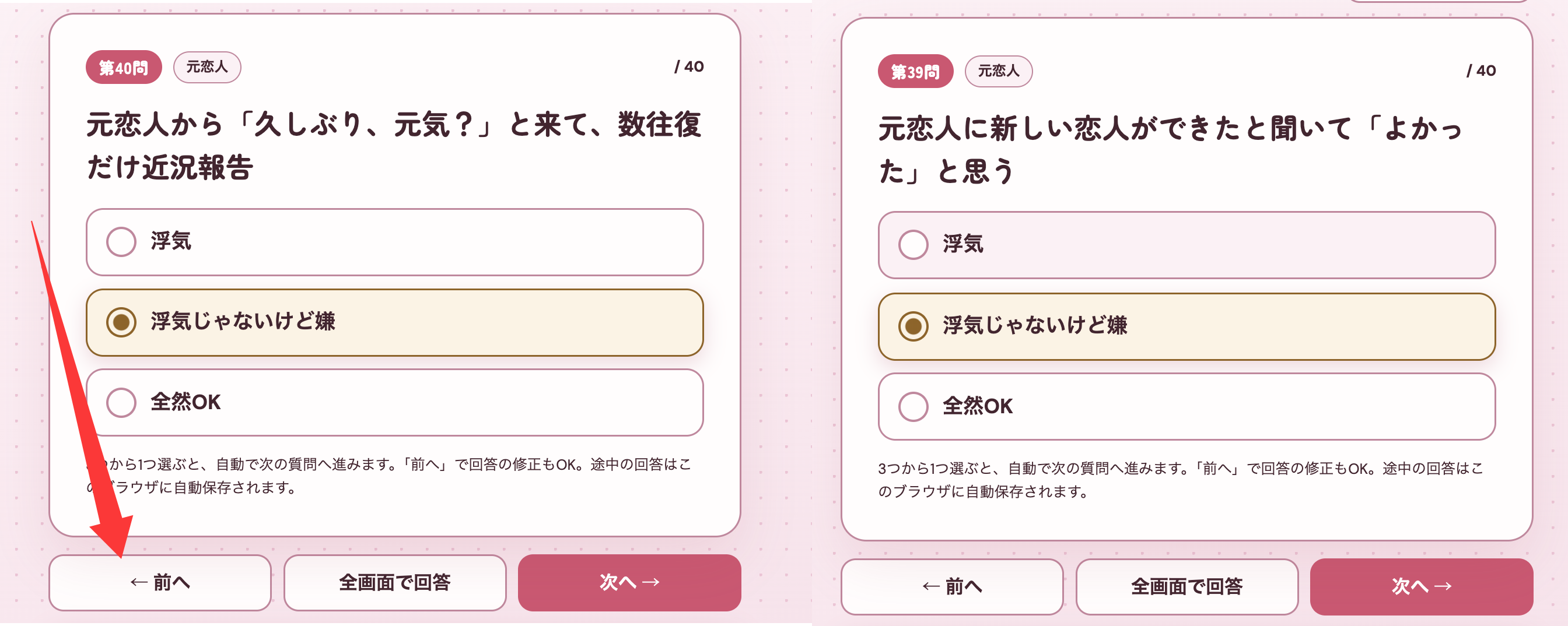
A progress bar and an "answered n / 40" counter at the top show you where you are at any moment. Tapped the wrong option? No panic needed: tap "← Prev" to flip back, fix it, and carry on.
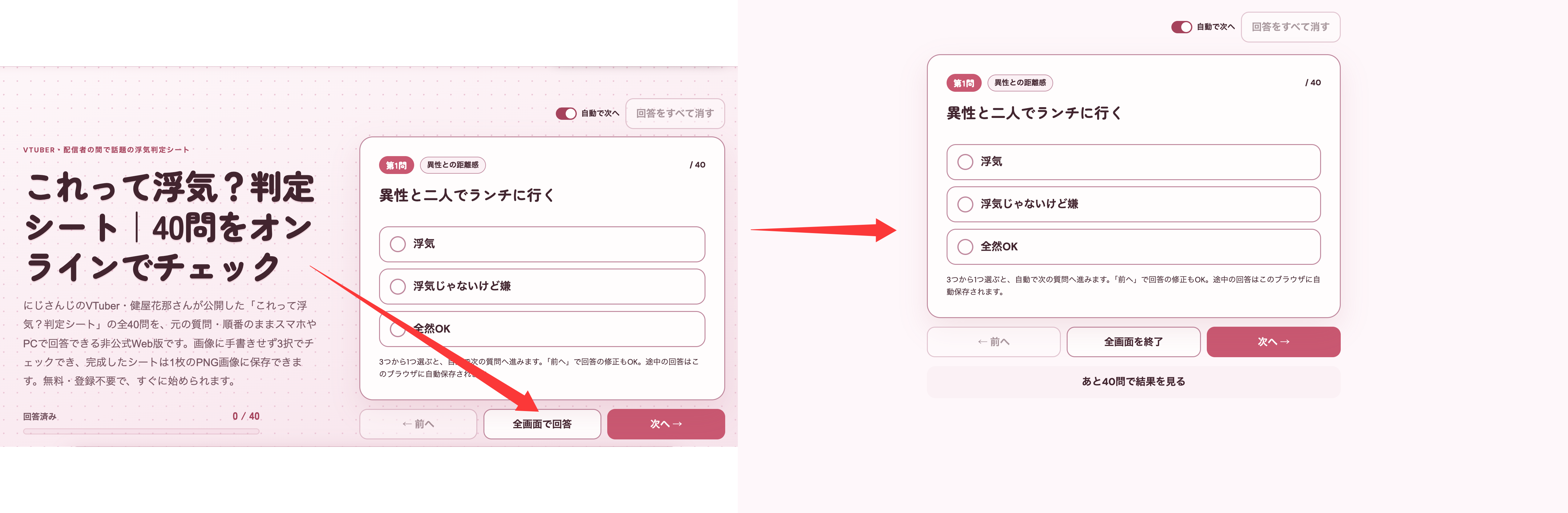
If you'd rather power through all 40 questions without distractions, switch on Focus Mode: only the current question and its options stay on screen. To leave Focus Mode, just press Esc on your keyboard or tap the same button again (its label now reads "Exit Focus Mode") to return to the normal view.
If you need to step away mid-sheet, that's fine too: close the page and come back later, and the site restores your progress automatically with a "restored your previous answers" notice, resuming from the question where you left off.
All 40 done: read your result, save the image
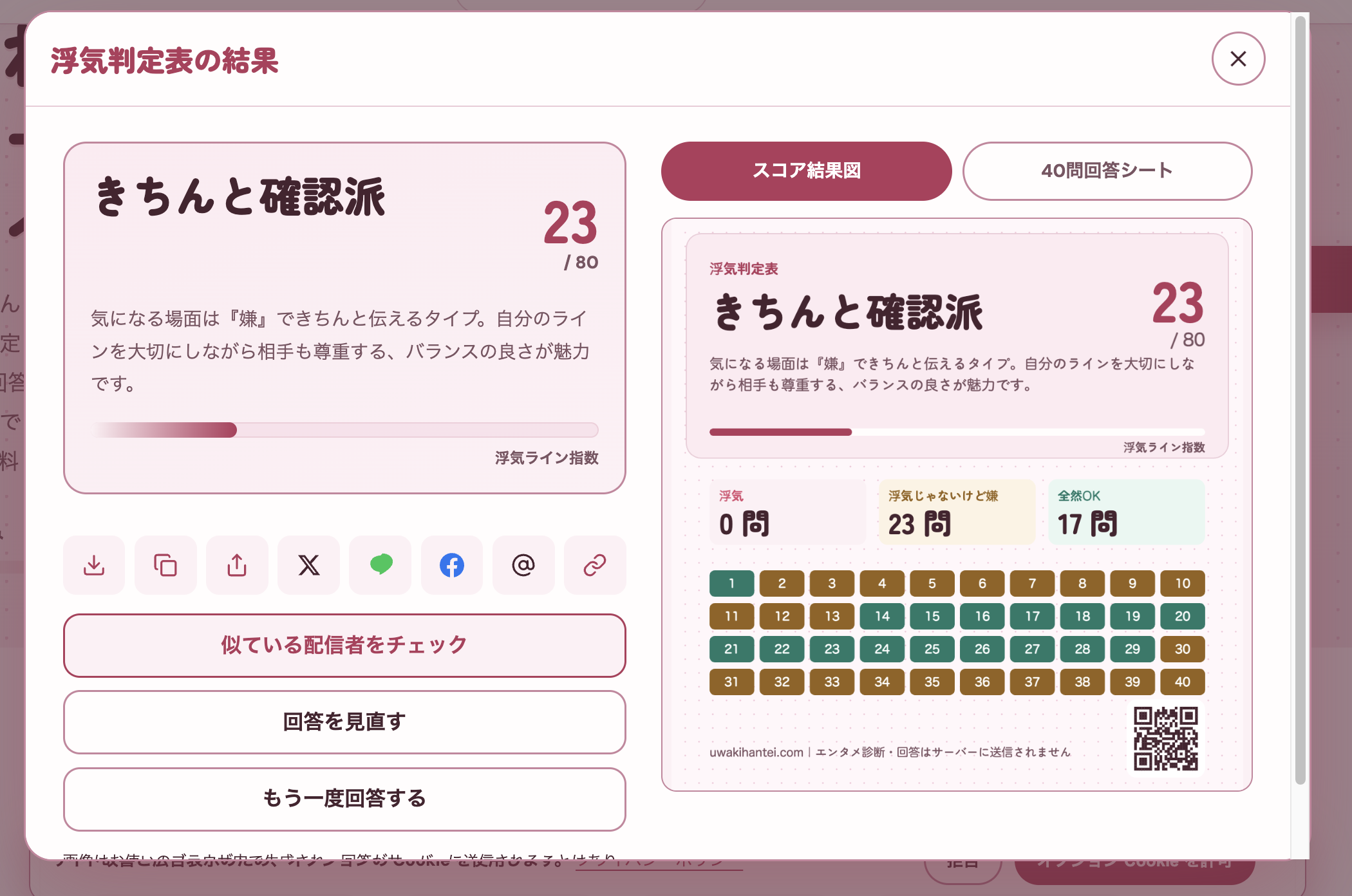
After the last question, tap "See Results". The results page has three parts: the cheating-line index (a score bar from 0 to 80 — the lower the score, the more lenient), your result type (one of Chill & Trusting, Considerate & Fair, Careful Checker, and Unshakeable Boundaries), and the full list of your 40 answers.
To keep a copy, tap "Save Image": a PNG summarizing every one of your answers is generated right on your phone and stored in your photos or downloads folder, wherever your browser normally saves images. There's also "Copy Image", which lets you paste it straight into a draft post on X.
The results page also has a fun extra: "which streamer are you most like?" This site has compiled the sheet answers of 33 streamers who filled it in publicly, so once you're done you can see whose boundary line sits closest to yours — plenty of people discover they're a dead ringer for Sukoya Kana herself.
Want to start over?
The results page has a "Start Over" button — confirm it and every answer saved in this browser is wiped, from scratch. If you only want to change a few questions, use "Review Answers" to jump back to the ones you want and edit them; no need to redo everything.
Switching phones or browsers? Your saved answers won't follow you — they live on the device only, by design (note that uninstalling and reinstalling your browser, or fully clearing this site's stored data, also wipes your past progress). To keep a record for a new device, the result PNG is all you need.
Frequently asked questions
I closed the browser halfway through. Is my progress still there?
Yes. Answers are saved automatically in your current browser; when you reopen the sheet you'll see a "restored your previous answers" notice and pick up right where you stopped. You only lose progress if you clear your browser data or switch devices.
Does the saved PNG contain my name or account details?
No. The image shows only the questions, your choices, the cheating-line index, and your result type — no personal information of any kind.
Do I have to finish all 40 questions in one sitting?
No. Stop whenever you like — progress saves automatically — and you can use "Skip" to set aside questions you're unsure about and come back to them at the end.
Answer the judgment sheet online for free